
Introduction
After completing a medical examination for employment or residence in a Gulf Cooperation Council (GCC) country, applicants usually want to know whether their medical report has been updated and what the final result means. Checking the result online is an important step because it helps applicants understand the status of their medical examination and determine what they may need to do next.
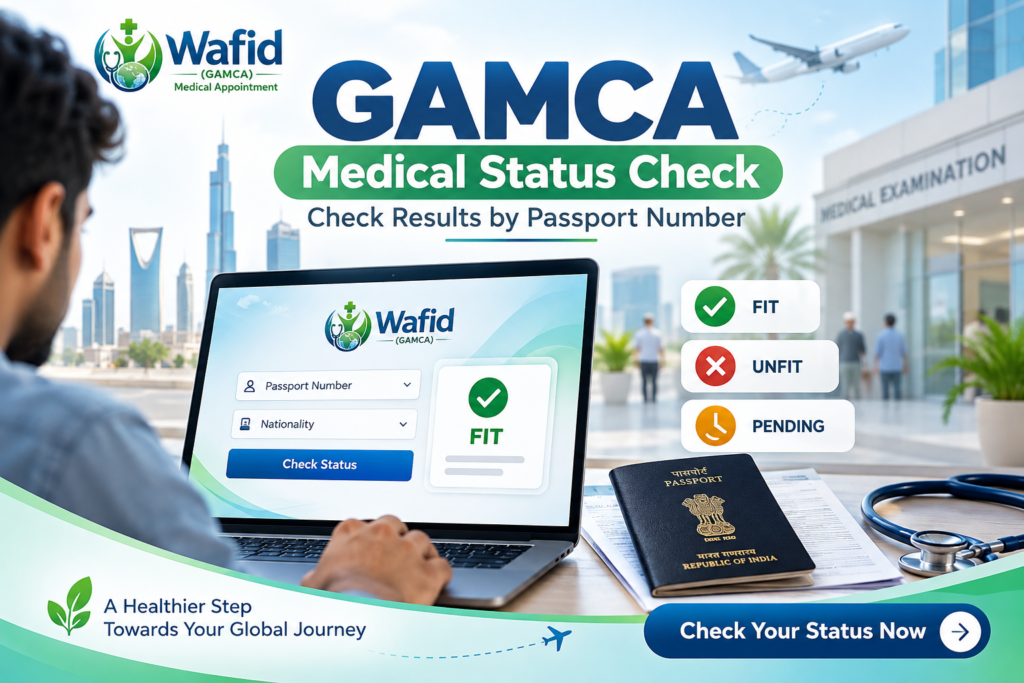
The GAMCA Medical Status Check process allows applicants to search for their medical examination records through the official Wafid platform. Applicants can use their passport number and nationality or their GCC appointment slip number to locate their records.
Many people search online for terms such as GAMCA medical status check by passport number, GAMCA medical report check online and Wafid medical result check. Although these searches use different wording, they generally reflect the same requirement: finding the official medical examination result after completing the test.
This guide explains how to check your medical status, what information you need, how to understand Fit, Unfit and Pending results, and what to do if your report is not available online. It also explains why applicants should use the official Wafid website rather than relying on unofficial result-checking services.
Important: Wafid is the official platform for this medical examination system. GAMCA-India.com provides informational guidance; it does not issue, modify or independently generate official medical results.
Fact Sheet: GAMCA Medical Status Check
| Information | Details |
|---|---|
| Main service | GAMCA / Wafid medical status checking |
| Official platform | Wafid |
| Primary keyword | GAMCA Medical Status Check |
| Passport search | Passport number and nationality |
| Alternative search | GCC/Wafid slip number |
| Result information | Medical examination status |
| Common status terms | Fit, Unfit and Pending |
| Official result portal | https://wafid.com/medical-status-search/ |
How to Check GAMCA Medical Status Online?
Applicants can check their medical examination status through the official Wafid Medical Status Search page. The portal provides two search methods: using passport details or using the GCC slip number generated during appointment registration.
Follow these steps:
- Visit the official Wafid Medical Status Search page.
- Select the search option labelled By Passport Number or By GCC Slip Number.
- If you select passport search, enter your passport number and choose your nationality.
- If you select slip-number search, enter the GCC slip number printed on your appointment document.
- Carefully review the information entered to avoid typing errors.
- Submit the details using the Check button.
- Review the result displayed by the official portal, if your record is available.
The result shown depends on the availability of your examination record in the Wafid system. If the portal cannot locate your record, verify the information before assuming that your medical result has been delayed or that there is a problem with your examination.
GAMCA Medical Status Check by Passport Number
The passport-based search option is useful for applicants who want to locate their medical examination record without entering the appointment slip number. It is particularly helpful when the applicant has their passport available but cannot immediately find the printed appointment document.
To complete a GAMCA medical status check by passport number, open the official Wafid search page, select the passport-number option and enter the details requested. Make sure the passport number matches the document used during appointment registration. You must also select the correct nationality.
Before submitting your search, check the following:
- The passport number is entered correctly.
- The selected nationality matches your passport.
- There are no accidental spaces or typing errors.
- You are using the official Wafid website.
If the result does not appear, try checking with your GCC slip number, if available. If both searches fail despite correct details, contact the medical centre where you completed your examination.
Wafid Medical Status Check Using the GCC Slip Number
Applicants can also search for their medical examination record using the GCC slip number. This number is associated with the appointment document generated during the booking process.
To use this method, select the GCC slip-number option on the official medical status search page and enter the number printed on your appointment slip. Review the digits carefully before submitting the search.
Both passport-based and slip-number searches are methods of locating the same applicant record. Neither method changes the medical result or provides a separate assessment of medical fitness.
Passport Medical Report Check Online: Common Search Problems
Sometimes applicants enter their details but cannot find their medical examination records. This can happen for several reasons:
Incorrect passport details: A typing error in the passport number may prevent the system from identifying the correct applicant record. Compare the entered number with your passport.
Wrong nationality selection: The passport search requires the correct nationality. Check the selected option before submitting the form again.
Incorrect slip number: If you are using the GCC slip-number option, make sure every digit and character has been entered correctly.
Result not yet available: Your examination record may still be undergoing processing or may not yet have been updated online. Check again later and contact the medical centre if necessary.
Temporary technical issues: Internet connectivity or website-related problems can interrupt a search. Try again using a stable connection.
A record not appearing online does not automatically mean that the applicant has received an Unfit result. Verify your details and seek clarification from the assigned medical centre when necessary.
GAMCA FIT or UNFIT Status: What Do the Results Mean?
After completing the medical examination, applicants generally want to know whether their result is Fit or Unfit. These terms describe the medical outcome recorded under the applicable examination requirements.
Fit: A Fit result generally indicates that the applicant has been assessed as medically fit under the applicable GCC medical examination requirements. Applicants should review the available result information and follow the next instructions provided by their employer, sponsor or relevant visa authority.
A Fit result does not automatically guarantee visa approval. Visa processing may involve additional documents, checks and immigration requirements.
Unfit: An Unfit result indicates that the applicant has not met the applicable medical fitness requirements. Applicants should contact the assigned medical centre for clarification and information about the procedure applicable to their case.
Do not rely on assumptions about the reason for an Unfit result. The appropriate explanation should come from the official result information and authorised medical centre.
Pending: A Pending result generally means that the final medical status is not yet available or has not been updated in the online system. It should not be interpreted as either Fit or Unfit.
| Status | General meaning | What to do |
|---|---|---|
| Fit | Recorded as medically fit | Follow the next visa-processing instructions |
| Unfit | Does not meet applicable medical requirements | Contact the medical centre |
| Pending | Final result not currently available | Check again and seek clarification if necessary |
Always rely on the official Wafid system and formal communication from the authorised medical centre for your individual result.
GAMCA Medical Report Pending: Why Is Your Result Delayed?
A pending result can cause concern, particularly when an applicant has already completed all the required examinations. However, the absence of a final result online does not necessarily indicate a negative outcome.
Possible reasons include:
- Examination processing: The medical centre may still need to complete the required examination procedures and update the applicant’s record.
- Additional review: Further review or verification may be necessary before a final result is recorded.
- Online record update: The result may not yet be visible in the online system.
- Incorrect information: An incorrect passport number, nationality or slip number can prevent the record from being located.
- Technical issues: Temporary problems with the website or internet connection may affect access to the status page.
If your status remains pending, first verify your search details. Check the official portal again later and contact the medical centre where you completed your examination if the result continues to remain unavailable.
Keep your appointment slip and passport information available when contacting the centre. Ask whether any further examination, verification or processing is required. Follow the instructions provided by the authorised centre rather than relying on unofficial claims about result updates.
Wafid Medical Result Check: How to View Your Report Online
Wafid is the official platform used for the relevant medical examination process for applicants travelling to GCC countries. After completing the examination, applicants can use its medical status search facility to locate their available results.
For a Wafid medical result check, follow these steps:
- Open the official Wafid website.
- Navigate to Medical Status Search.
- Choose passport-number search or GCC slip-number search.
- Enter the requested information.
- Submit the search and review the available result.
Applicants searching for a Wafid medical result by passport number should ensure that their passport details and nationality are accurate. If the record cannot be found, try the slip-number method if the appointment document is available.
Always use the official portal to verify your examination status. Third-party websites may provide general information, but they should not be treated as an alternative source of official medical results.
Visa Medical Report Check Online: What Should Applicants Know?
A visa medical report check online helps applicants understand the outcome of their medical examination. However, checking a medical result and receiving visa approval are two separate processes.
The medical status search provides information about the examination record. Visa approval may also depend on other requirements, such as:
- Valid passport and identity details.
- Employment or sponsorship documentation.
- Visa application processing.
- Additional documents requested by the relevant authority.
- Applicable immigration requirements.
Therefore, even if your medical result shows Fit, continue following the instructions issued by your employer, sponsor or relevant visa authority.
Is GAMCA Medical Report Checking Free Online?
Applicants can use the official Wafid website’s medical status search facility to check their available examination results. Be cautious of unofficial websites or individuals demanding unnecessary payments while claiming to provide guaranteed access to reports or change medical outcomes.
For your security, use the official portal, avoid sharing passport information with unknown individuals and never pay anyone who claims they can convert an Unfit result into Fit.
What Should You Do After Checking Your GAMCA Medical Result?
Your next step depends on the status displayed by the official portal.
If your result shows Fit:
- Review the available result information.
- Keep your appointment details safely stored.
- Inform your employer or recruitment agency if required.
- Follow the next steps of your visa application.
- Check whether any additional documents are needed.
If your result shows Unfit:
- Review the official result information.
- Contact the assigned medical centre for clarification.
- Ask about the applicable procedure for your case.
- Follow the instructions provided by the authorised centre.
If your result is Pending:
- Verify your passport and slip details.
- Check the official portal again later.
- Contact the medical centre if the result remains unavailable.
- Ask whether further processing or verification is required.
Frequently Asked Questions About GAMCA Medical Status Check
1. How can I check my GAMCA medical status online?
Visit the official Wafid Medical Status Search page. Select passport-number or GCC slip-number search, enter the requested details and submit the form.
2. Can I check my GAMCA medical status by passport number?
Yes. Select the passport-number option, enter your passport number and choose your nationality on the official Wafid portal.
3. How can I check my GAMCA medical report online?
Use the official Wafid Medical Status Search facility. You can search using your passport details or GCC slip number.
4. What does FIT mean in a GAMCA medical report?
Fit generally means the applicant has been assessed as medically fit under the applicable GCC medical examination requirements. It does not guarantee visa approval.
5. What does UNFIT mean in a GAMCA medical report?
Unfit indicates that the applicant has not met the applicable medical fitness requirements. Contact the assigned medical centre for clarification.
6. Why is my GAMCA medical status showing Pending?
The examination record may still be undergoing processing, review or updating. Verify your details and contact the medical centre if the status remains pending.
7. Can I check my Wafid medical result without a slip number?
Yes. You can use the passport-number search option with your passport number and nationality.
8. How long does it take for a GAMCA medical result to appear online?
The exact time can vary depending on examination processing and record updates. Contact your assigned medical centre for case-specific information.
9. Is GAMCA medical report checking free online?
The official Wafid website provides an online medical status search facility. Avoid unofficial services that demand unnecessary payments to access or modify results.
10. Does a Fit medical result guarantee visa approval?
No. A Fit medical result is only one part of the process. Visa approval may involve additional documentation and immigration requirements.
Final Checklist Before Checking Your GAMCA Medical Status
Before starting your online search, make sure you have:
- Your passport number.
- Your correct nationality.
- Your Wafid/GCC appointment slip number, if available.
- A stable internet connection.
- Access to the official Wafid Medical Status Search page.
After checking your result, keep a record of the available information and follow the instructions provided by the authorised medical centre or relevant visa authority.
Conclusion
Checking your GAMCA medical status online is an important step after completing your medical examination for a GCC country visa. Through the official Wafid platform, applicants can search for their examination records using their passport number and nationality or their GCC slip number.
Whether you are looking for a GAMCA medical status check by passport number, a GAMCA medical report check online or a Wafid medical result check, always rely on the official portal for accurate information.
If your result shows Fit, Unfit or Pending, understand what the status means and follow the appropriate instructions. If your report is unavailable or you experience difficulty during the search, contact your assigned medical centre for clarification.
For more information about appointment preparation and required documents, read our GAMCA Medical Test Day Checklist and GAMCA Fees and Documents Guide.
Official result-checking portal: https://wafid.com/medical-status-search/
“Need assistance with your GAMCA medical appointment? Contact our team for appointment-related guidance.”
Contact Us
